> For the complete documentation index, see [llms.txt](https://docs.economize.cloud/llms.txt). Markdown versions of documentation pages are available by appending `.md` to page URLs; this page is available as [Markdown](https://docs.economize.cloud/ai/anthropic.md).
# Onboarding Anthropic account onto Economize
After signing up with [Economize](https://www.economize.cloud/signup) to connect your Anthropic account, select the **Connect Anthropic** option when choosing your provider, and follow these steps:
## **Step 1: Create a Connection**
Economize integrates with the Anthropic account using the Admin API through the [Usage and Cost API](https://docs.anthropic.com/en/api/usage-cost-api).
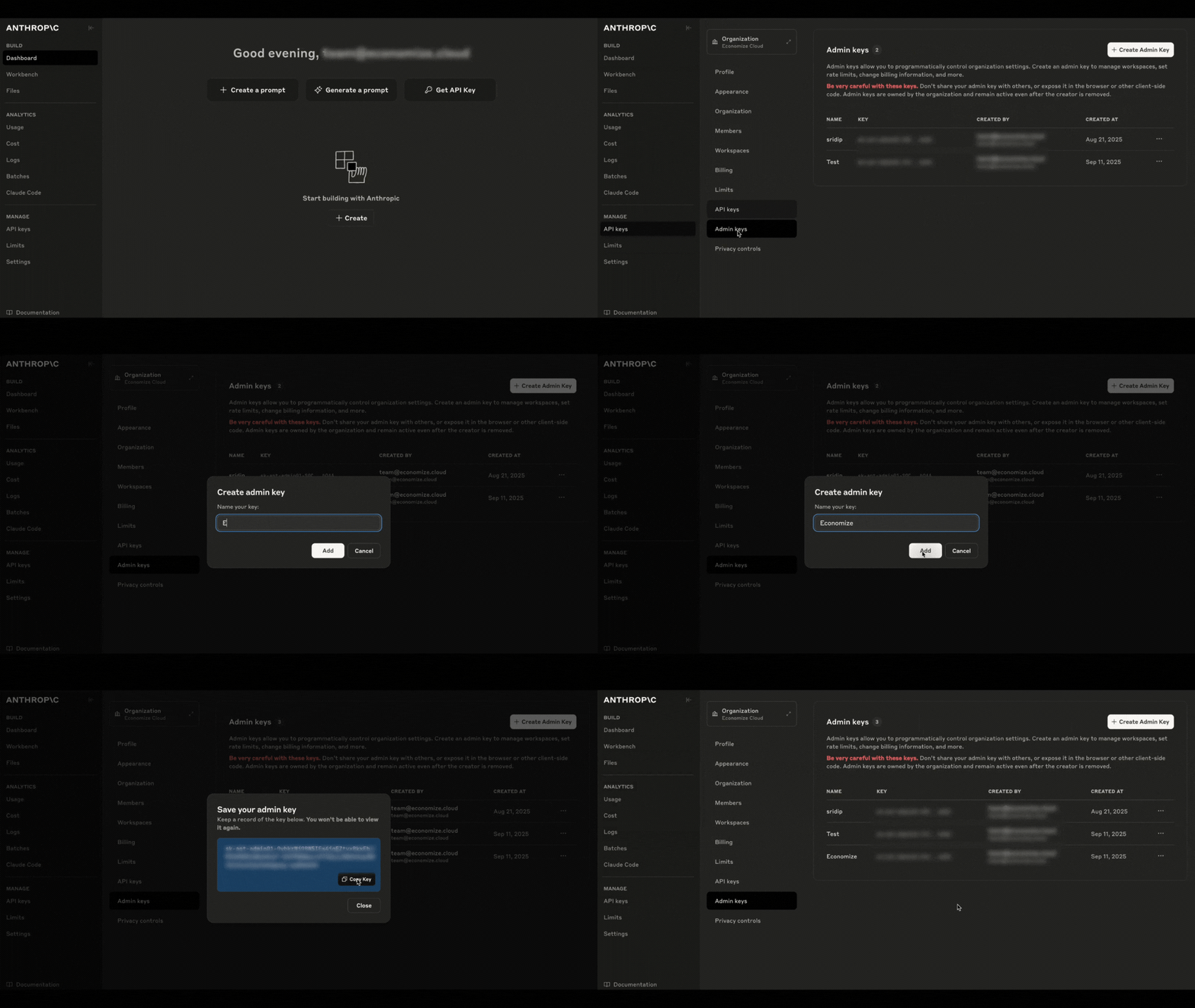
1. Sign in to the [Anthropic console](https://console.anthropic.com/dashboard).
2. In the left sidebar, under **Manage**, choose **API keys**.
3. Click **Admin keys**, then hit **+ Create Admin Key**.
4. Enter **Economize** as the key name and click **Add**.
5. Copy the newly created key. Admin keys start with `sk-ant-admin`.
## Step 2: Add configuration information to Economize console
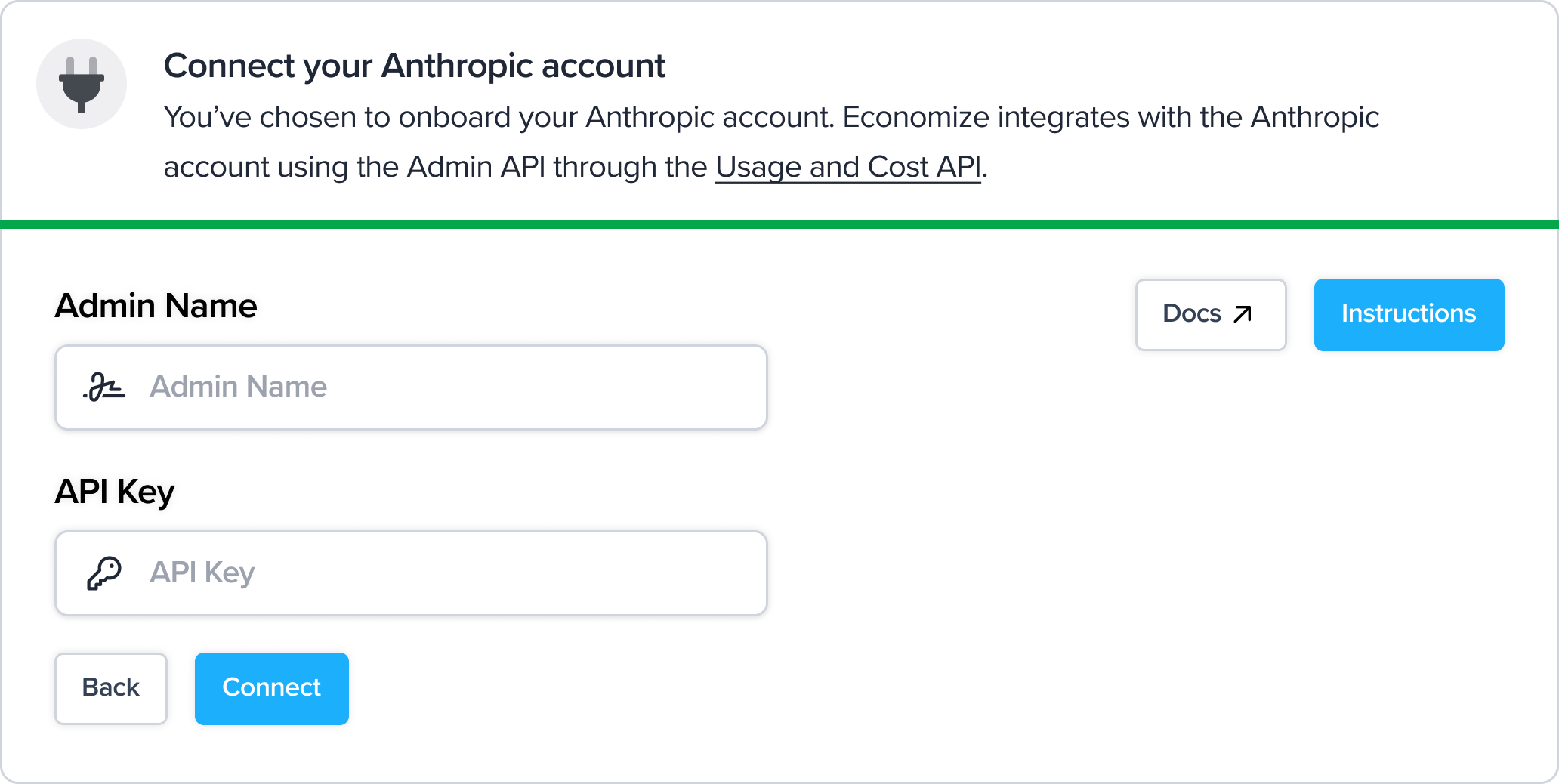
After you complete all the above steps, add the **Admin Name,** and **Admin Key Value** you previously obtained into the Economize console, then click **Connect**.
{% hint style="success" %}
**SUCCESS**
It can take upto 15 minutes to ingest Anthropic costs. As soon as they are processed, they will be available within Economize.
{% endhint %}